

Make PDF Look Scanned Online – Free & Private is a productivity tool listed on SitePatent, available at makelookscanned.com. Built with React. Added in 2026. Make your PDF look scanned with realistic scanner effects like paper tone, blur, noise, skew, and…
What It Does Make Look Scanned is a browser-based tool that adds realistic scanner effects to digital PDF files. Users can adjust page rotation, paper tone, blur, grain, edge shadows, grayscale, resolution, and compression before downloading a flattened, image-based PDF. Problem Digital PDFs often look too clean and perfectly generated when a scanned or printed-document appearance is required...
- Category
- Productivity
- Domain
- makelookscanned.com
- Added
- Tech
- React
- Domain Rating
- DR 7
Make PDF Look Scanned Online – Free & Private Preview
Open in new tab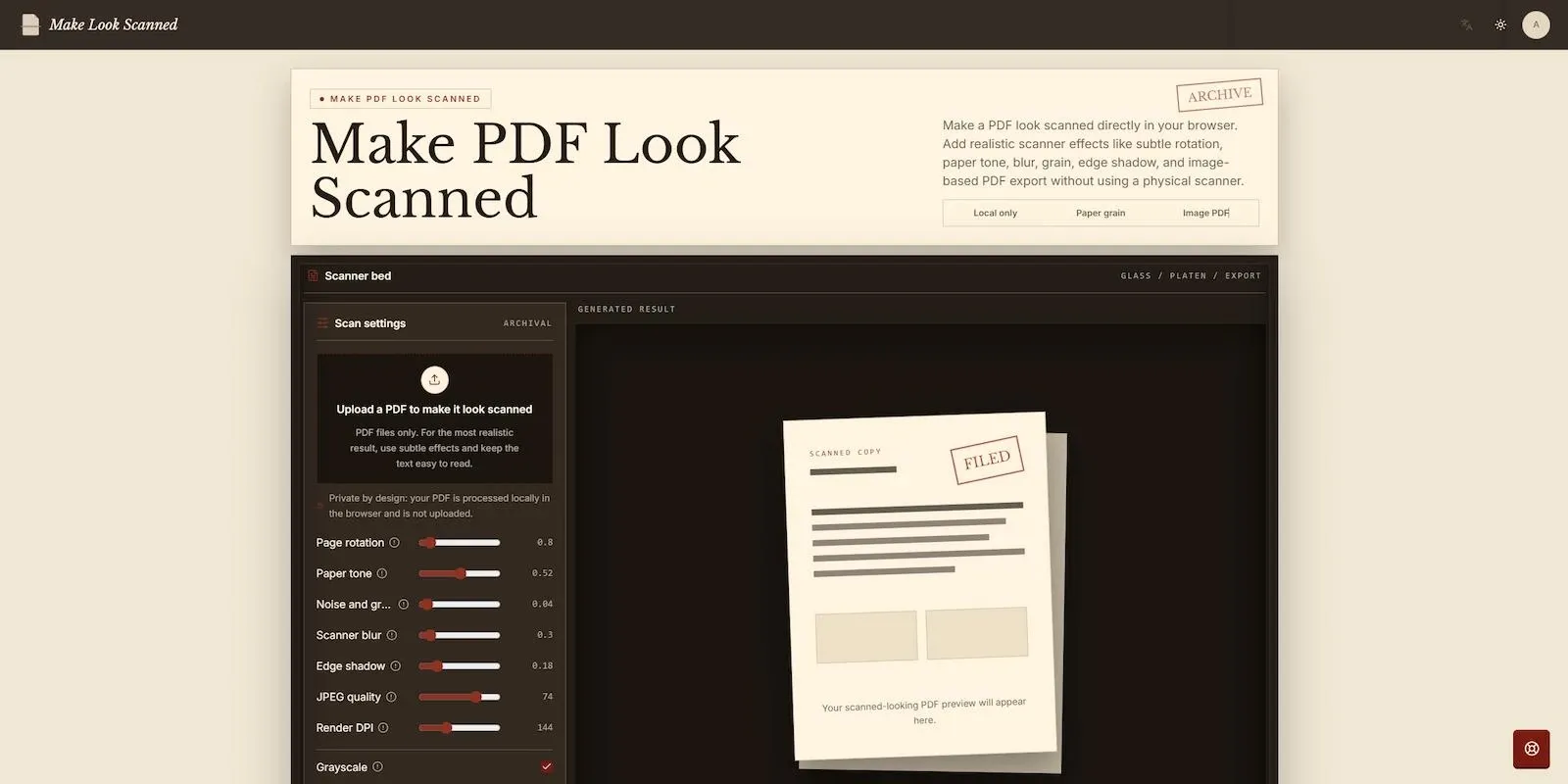
About Make PDF Look Scanned Online – Free & Private
What It Does
Make Look Scanned is a browser-based tool that adds realistic scanner effects to digital PDF files. Users can adjust page rotation, paper tone, blur, grain, edge shadows, grayscale, resolution, and compression before downloading a flattened, image-based PDF.
Problem
Digital PDFs often look too clean and perfectly generated when a scanned or printed-document appearance is required. Creating that effect manually may involve printing, scanning, or working with complex image-editing software.
Solution
Make Look Scanned provides a simple online workflow for applying subtle scan imperfections to a PDF. The document is processed locally in the browser, allowing users to preview the effect and export a scanned-looking version without using a physical scanner.
Target Audience
The tool is useful for professionals, students, administrative teams, freelancers, and anyone who needs a PDF to resemble a printed-and-scanned document.
Main Features
Local, browser-based PDF processing
Adjustable page rotation and alignment
Custom paper tone
Scanner-style blur
Noise and paper grain effects
Edge shadow controls
Optional grayscale output
Adjustable render DPI and JPEG quality
Multi-page PDF support
Preview before downloading
Flattened, image-based PDF export
Use Cases
Create a scanned-looking copy of a digitally generated form or document.
Add a natural printed-and-scanned appearance to multi-page PDFs.
Flatten PDF pages into image-based output for easier sharing and reduced text editability.
Reviews
Reviews
No reviews yet
Your review helps builders decide.
Tap a star to get started


