Read the last ten junk messages from your contact form before you add a CAPTCHA, because five different senders produce form spam and each one walks past a different defense.
Short answer: most form spam comes from scripts that never load your page in a browser, and an invisible honeypot field, a minimum fill time and checks on your server stop them for free. A challenge widget such as Turnstile or reCAPTCHA is the next layer, for bots that run a real browser. Spam that a person typed, or that a paid solver passed, gets through every challenge, so it needs content rules and an inbox filter instead. Fix your autoreply too: if it repeats what the visitor typed, spammers can use your form to send mail in your name.
Which kind of form spam is it?
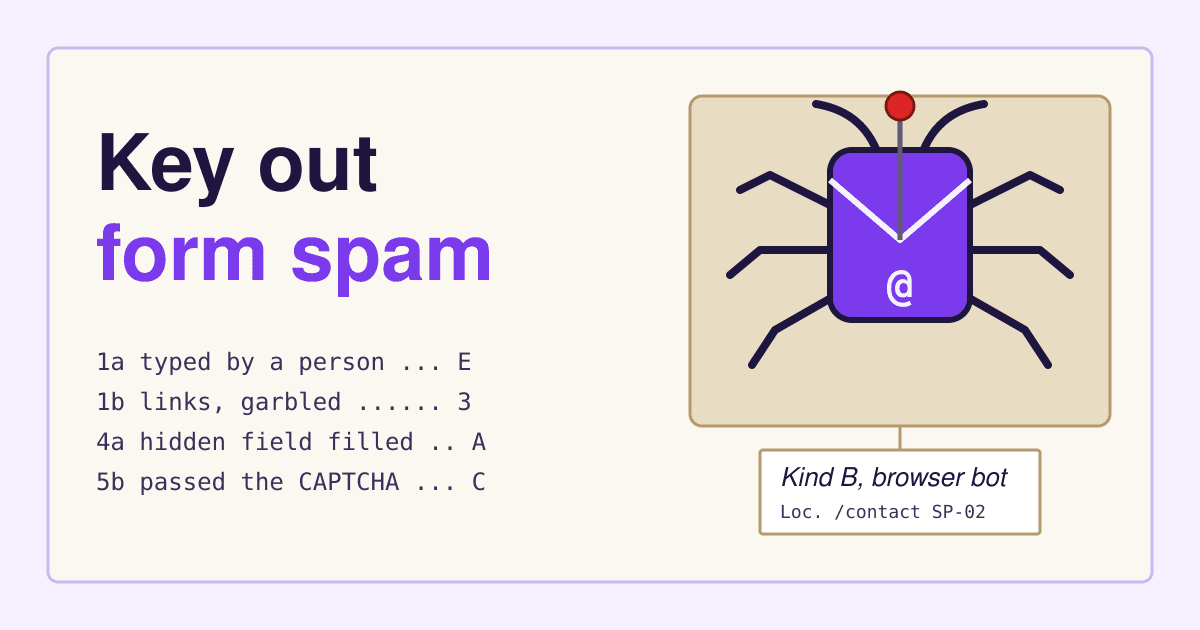
Take one junk message and its submission time, then work down the pairs below. Each pair has two statements; pick the one that is true and follow its arrow. A form plugin or a server log that shows the submitter's IP address and browser string helps, but the message itself is usually enough.
- 1a
The message reads like a person wrote it to you: your business name, a specific offer, a real reply address.
go to 2 - 1b
The message is generic, garbled, in a language your visitors do not use, or mostly links.
go to 3 - 2a
It sells something to you: SEO, a redesign, guest posts, app development, "a few errors on your site".
Kind E, the hand-typed pitch - 2b
It is a real enquiry that only looks odd, often short or written by phone.
not spam: answer it - 3a
The email field holds an address that is not the sender's, and the name or subject field holds a link or a sales line.
Kind D, the relay abuser - 3b
The fields hold the sender's own junk; nobody else is named.
go to 4 - 4a
Every field is filled, including ones a visitor never sees, or several messages arrive within the same minute.
Kind A, the blind filler - 4b
Only the visible fields are filled and the messages trickle in, a few an hour or a day.
go to 5 - 5a
Your form has no challenge widget, or it has one and the junk stopped for a while after you added it.
Kind B, the browser bot - 5b
Your form has a challenge widget and the junk still arrives with a passed token.
Kind C, the solver-backed bot
One site often gets two or three kinds at once. Key out several messages, not one, and count how many fall in each kind: the largest count decides what you fix first.
The five kinds, and what gives each one away
Kind A
The blind filler
A script that sends your form's fields straight to the address the form posts to. It never opens the page in a browser, so it cannot see which fields are hidden and it does not wait.
- Field marks
- Every field filled, hidden ones too; arrives in bursts; often seconds after the last one; gibberish or links in the name field.
- Stopped by
- A honeypot field, a minimum fill time and checks on your server.
Kind B
The browser bot
A program that drives a real browser: it loads the page, runs its scripts and fills only what a visitor would fill. A honeypot rarely catches it, because it reads the page the way a person's browser does.
- Field marks
- Only visible fields filled; plausible names; messages spaced out; the same text with small changes.
- Stopped by
- A challenge widget, plus a cap on submissions per IP address.
Kind C
The solver-backed bot
A bot that passes your challenge, either with its own solver or by forwarding the puzzle to a paid solving service. In the 2023 study below, bots beat people on accuracy for every challenge type where results for both were reported.
- Field marks
- Gets through with a valid token; arrives at a steady low rate; usually carries links.
- Stopped by
- Content rules on your server and a spam filter on the message text.
Kind D
The relay abuser
A sender who wants your autoreply, not you. They put a victim's address in the email field and their sales line or link in the name field, and your "Thanks, Name, we got your message" delivers it from your domain.
- Field marks
- Strangers' addresses in the email field; a link or offer where a name belongs; bounces or complaints about mail you did not write.
- Stopped by
- An autoreply that repeats nothing the visitor typed, or no autoreply at all, plus a per-address limit.
Kind E
The hand-typed pitch
A person, or a person with a template, selling to you through the only door you left open. No challenge stops them, because a challenge exists to let people through.
- Field marks
- Your business name used correctly; a sales offer; a free email address; arrives during someone's working hours.
- Stopped by
- Nothing on the form. Sort it in the inbox with a rule or a "reason for contact" choice.
Why a CAPTCHA alone does not end form spam
Because the bots are better at it than your visitors. A USENIX Security 2023 study had 1,400 people solve 14,000 real, unmodified CAPTCHAs of the kinds popular sites use, and set their results beside bot results published for the same types:
- reCAPTCHA checkbox click
- Distorted text
- hCaptcha images
- reCAPTCHA image grid
The same table shows people taking 15 to 26 seconds on a reCAPTCHA image grid, against 17.5 seconds for the bot. A puzzle still filters out cheap bots of kind B, which is why it belongs in the stack. It is the wrong first layer, though: it costs real visitors time, and the W3C note on CAPTCHA sets out how visual and audio puzzles lock out people with disabilities.
Which control stops which kind, and what it costs
| Control | Stops | Cost | What a real visitor sees |
|---|---|---|---|
| Honeypot field | A | Free | Nothing |
| Minimum fill time | A, some B | Free | Nothing, unless they send in under 3 seconds |
| Server checks on each field | A, D, some C | Free | An error only if they put a link in their name |
| Plain autoreply | D | Free | A shorter confirmation |
| Rate limit per IP and per address | Bursts of A, B, D | Free | Nothing, unless they send five times in an hour |
| Cloudflare Turnstile | B | Free: up to 20 widgets, unlimited challenges, no other Cloudflare service needed | Usually a short check, sometimes a click |
| Google reCAPTCHA | B | Free to 10,000 assessments a month per organization; with billing on, $8 flat to 100,000, then $1 per 1,000 | Nothing, a checkbox or an image grid, by version |
| Content rules and a spam filter | C, some E | Free rules; filters vary | Nothing; a caught message goes to a folder |
| Inbox rule or "reason for contact" | Sorts E | Free | One extra choice |
Check your reCAPTCHA volume before you rely on the free tier. Google counts the 10,000 across every site and key in your organization, and a project without billing gets a "Resource Exhausted (429)" error for the rest of the month once the count is passed. Keys made under the old free plan can be migrated to Google Cloud with the same allowance. A busy form or a bot attack can use it up, and your form then has to decide what an error means. Make it hold the message for review, not drop it and not wave it through.
Set the controls up in this order
-
Key out ten messages
Use the key above and write down the count per kind. Keep the messages: you will compare against them later.
-
Add the honeypot and the fill time
One hidden field that must stay empty, and a signed time stamp in the form that the server checks. Both are in the snippet below.
-
Check every field on the server
Reject a name that holds a URL or is longer than about 80 characters, an email that does not parse, and a message with more links than a customer would send. Checks in the browser do not count: kind A never runs them.
-
Make the autoreply plain
Send a fixed text that repeats nothing the visitor typed, not even the name, and send at most one per address per day. Mail your domain sends to people who never asked for it gets marked as spam, and Google tells every sender to keep the spam rate below 0.3%.
-
Limit the rate
Five messages per IP address per hour and three per email address per day is plenty for a contact form. Return the normal thank-you page when the limit hits, so a bot learns nothing.
-
Only then add a challenge
If kind B still gets through, add Turnstile or reCAPTCHA and verify its token on the server; a widget checked only in the browser stops nothing.
-
Send to a folder, never to the bin
Route anything a rule catches to a separate folder and skim it weekly, because a rule that is too strict loses real customers without a sound. After two weeks, count spam per kind again and send yourself a test enquiry from a phone.
A honeypot and fill time you can copy
The honeypot sits off screen, out of the tab order and away from autofill, so people do not fill it and autofill rarely does. autocomplete="off" asks the browser not to suggest a value, but browsers and password managers may ignore it, so also name the field something no autofill guesses at.
<div class="hp" aria-hidden="true">
  <label for="hp_note">Leave this empty</label>
  <input id="hp_note" name="hp_note" type="text"
         tabindex="-1" autocomplete="off">
</div>
<input type="hidden" name="ts" value="1762084800.9f2c">

/* CSS: off screen, not display: none */
.hp { position: absolute; left: -9999px; }

// Server, on every submission:
// 1. hp_note not empty            -> treat as spam
// 2. ts signature does not match  -> treat as spam
// 3. now - ts under 3 seconds     -> treat as spam
// "Treat as spam": show the normal thank-you page, store it in the spam folder.
Sign the time stamp with a secret on the server (an HMAC of the time), so a bot cannot send a made-up old time. Most form plugins and form services have both features as settings; turn them on before writing any code.
Questions site owners ask about contact form spam
Will a CAPTCHA cost me real enquiries?
It can. People in the study above took 15 to 26 seconds on an image grid and failed up to one in five, and in a second experiment in the same paper, 18% to 45% of paid participants quit after their first CAPTCHA. That is why the free invisible controls go first and a challenge comes in only when they are not enough.
Is a plain email address on the page safer than a form?
No. A published address is collected by scrapers and then gets the same pitches and more, with none of the controls above. Keep the form, and put the address on the page as text only if customers expect it.
Why did the spam come back after I added reCAPTCHA?
Either the token is not verified on your server, or the senders are kind C or E. Check the server side first: a missing check is the most common cause and the cheapest fix.
Should I block whole countries?
Only if you never sell there. Blocking by country stops some kind A and B traffic, but bots also send from the same countries as your customers, and you will lose real visitors who travel or use a VPN.
Sources
- Searles, Nakatsuka, Ozturk, Paverd, Tsudik and Enkoji, An Empirical Study and Evaluation of Modern CAPTCHAs, USENIX Security 2023, Table 3 and section 7.
- Google Cloud: reCAPTCHA billing information and Migrate from reCAPTCHA Classic, read 2026-11-02.
- Cloudflare: Turnstile plans, last updated 2026-08-14, read 2026-11-02.
- Google Workspace Admin Help: Email sender guidelines.
- W3C: Inaccessibility of CAPTCHA; MDN: the autocomplete attribute.