Every page that pulls its typeface through the Google Fonts link asks two Google addresses for files before it can draw its text in that face.
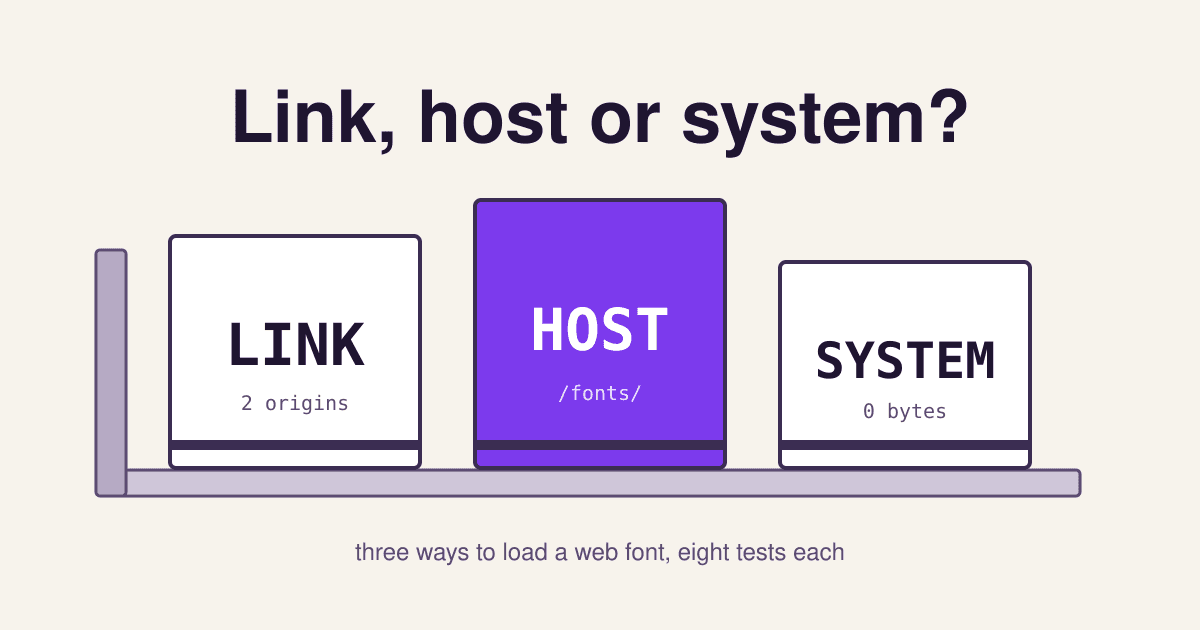
That is one of three ways to get a font onto a visitor's screen. The other two keep everything on your own address, or skip the download altogether. Below, the three are set side by side like proofs pulled from the same press: the same eight questions asked of each, with the grade each one earns and the source behind it.
The Google link
<link rel="stylesheet"
 href="https://fonts.googleapis.com/css2?family=Inter&display=swap">
Paste one line; Google serves the stylesheet and the font files.
Self-hosted files
@font-face {
  font-family: "Inter";
  src: url("/fonts/inter-latin.woff2")
       format("woff2");
}
The same font, downloaded once and served from your own domain.
System fonts
body {
  font-family: system-ui,
               sans-serif;
}
No file at all: each device uses the typeface it already has.
All eight pulls on one sheet
| Pull | Google link | Self-hosted | System |
|---|---|---|---|
| 1. New connections before text | 2 origins | none | none |
| 2. Visitor IP sent to a third party | yes | no | no |
| 3. Help from other sites' cache | none | none | not needed |
| 4. Bytes to download | subset for you | as small as you make it | 0 |
| 5. How long the browser keeps it | files 1 year, CSS 1 day | your choice | always there |
| 6. Text visible while loading | with display=swap | with font-display | at once |
| 7. Same look on every device | yes | yes | no |
| 8. Upkeep | none | yours | none |
best fine weak Grades for a small business site with a Latin-script audience, checked on 12 November 2026.
Self-host the font if the look matters; use system fonts if speed matters more than the look; keep the Google link only when you cannot upload files. Self-hosting removes the two outside connections and the visitor's IP address from the trip, which since the browsers split their caches in 2020 and 2021 costs you nothing in shared caching. System fonts download nothing at all, but your site will look slightly different on each device. The Google link is the easiest to set up and to keep up to date, and it still trims files well, but it sends every visitor's IP address to Google, which one German court in 2022 found unlawful without consent.
The eight pulls, one by one
1 How many new connections before the text can appear?
Each new address costs a DNS lookup, a connection and a TLS handshake before the first byte arrives. The web.dev guide to font performance tells Google Fonts users to add two preconnect hints so the browser opens both connections early. Self-hosting needs no hint, though the same guide is careful: on a slow server without a CDN or HTTP/2, a self-hosted font can still arrive later than Google's. Measure your own page before and after.
2 Does the visitor's IP address leave for a third party?
On 20 January 2022 the Munich Regional Court (LG Muenchen I, 3 O 17493/20) ordered a website owner to stop passing a visitor's IP address to Google through Google Fonts and to pay him 100 euros in damages. The court held that a dynamic IP address is personal data, that the visitor had not consented, and that there was no legitimate interest, because the font can be used without any connection to a Google server. It is one district court's judgment, not an EU-wide rule, but it is why so many sites with European visitors switched to self-hosting. This is not legal advice; if you keep the link, list it in your privacy notice and ask whoever handles your compliance.
3 Does a visitor who saw the font on another site get it for free?
The old argument for the Google link was that a visitor had probably already downloaded Roboto on some other site, so yours loaded it from cache. Chrome 86 split its HTTP cache by top-level site in October 2020, Firefox 85 did the same in January 2021 for its HTTP and font caches, and Safari already keyed its cache by site. A file cached on someone else's site is now downloaded again on yours. The Web Almanac 2024 says it plainly: with cache partitioning, a shared font CDN is no longer beneficial. That leaves this pull a draw.
4 How many bytes does the visitor download?
We asked Google for Inter in two weights from this host on 12 November 2026. The stylesheet held 14 @font-face rules, one per alphabet slice and weight, each with a unicode-range, and the Latin slice was a single 48,256 byte WOFF2 file that both weights shared. A browser reading English downloads only that slice. The Web Almanac found that from the median upward, self-hosted WOFF2 files are about double the size of those Google serves, most likely because many people upload the whole font. Self-hosting only wins this pull if you upload the Latin slice, as in the steps below.
5 How long does the browser keep the font?
The same request returned cache-control: public, max-age=31536000 on the font file (one year) but private, max-age=86400, stale-while-revalidate=604800 on the stylesheet: one day, then up to a week of reusing the old copy while a fresh one is fetched. On your own server you can give both the CSS and the font a year, as long as you put a version in the file name and change it when the file changes.
6 Can the visitor read while the font is loading?
&display=swap.@font-face says font-display: swap.Without instructions, Chrome and Firefox hide text for up to 3 seconds while a web font loads, and Safari waits for it. swap shows the text in a fallback font at once and swaps the web font in when it arrives; the Google API takes it as a display parameter. The swap itself can move lines around, which counts against Cumulative Layout Shift, so pick a fallback close in width. System fonts have nothing to swap.
7 Does every visitor see the same typeface?
system-ui means the typeface the device uses for its own menus, so a Windows laptop, a Mac and an Android phone each show something different. MDN warns that it is meant for interface text, not long paragraphs, and that on some systems it renders Latin text poorly; for body copy, sans-serif or serif is the safer keyword. The page will look tidy everywhere, but no one face is yours.
8 Who keeps the font up to date?
Self-hosting also puts the licence on you. The Google Fonts repository says every font in the library is licensed with permission to redistribute, so you may host it yourself; for any other font, web.dev advises checking that a font's licence allows subsetting and self-hosting, and a font bought from a foundry comes with a web licence that sets where and how much it may be served. On WordPress 6.5 and later, the Font Library does the download for you: installing a Google font from it saves the file to your own server under wp-content/fonts.
Which one to set for your kind of site
A business site with a brand typeface and European visitors
Self-host the Latin slice of one or two weights. You keep the look, drop both outside connections and stop sending IP addresses to Google.
A text-heavy site where speed beats looks
Use the system stack for body text. Nothing to download, nothing to swap, nothing to update. Add a web font only for the logo or headings if you miss it.
A site that wants character without the weight
Self-host one display face for headings and set the body in system fonts. One small file covers what visitors notice first.
A site builder that will not let you upload font files
Keep the Google link, with both preconnect hints and display=swap, and name Google Fonts in your privacy notice.
Moving from the Google link to your own files
- Find what loads now. Open your home page, then the browser's developer tools, Network tab, filter Font, and reload. Every row from
fonts.gstatic.comis a Google font; note the family and the weights. View the page source and search forfonts.googleapis.comtoo: themes and plugins often add their own link. - Cut the list. Most sites need two weights, regular and bold, or one variable file that covers both.
- Get the Latin files. Open the stylesheet URL from your page in a browser, find the rules marked
/* latin */and download the WOFF2 file each one names. On WordPress 6.5 or later, install the font through the Font Library instead. - Upload them to a folder such as
/fonts/on your own domain, with the version in the file name. - Write the rule below into your stylesheet, copying the
unicode-rangeline from Google's CSS. - Remove the old link tags and both preconnect hints, then reload with the Network tab open. No request should go to a Google font address.
- Set a long cache on the folder:
Cache-Control: public, max-age=31536000, immutable, and rename the file whenever you replace it.
/* in your stylesheet, before any rule that uses the font */
@font-face {
  font-family: "Inter";
  font-style: normal;
  font-weight: 400 700;           /* one variable file, both weights */
  font-display: swap;
  src: url("/fonts/inter-latin-v20.woff2") format("woff2");
  unicode-range: U+0000-00FF, U+0131, U+0152-0153, U+2000-206F, U+20AC, U+2122;
}
body { font-family: "Inter", system-ui, sans-serif; }

<!-- in the <head>, only for the file the first screen needs -->
<link rel="preload" href="/fonts/inter-latin-v20.woff2"
      as="font" type="font/woff2" crossorigin>
The unicode-range above is shortened; copy the full line from your own Google stylesheet. Preload one file at most: web.dev notes that preloading takes bandwidth from everything else on the page.
Questions about loading web fonts
Is the Google Fonts link illegal in the EU?
No law bans it by name. The Munich ruling found that sending a visitor's IP address to Google without consent broke data protection law in that case, and awarded 100 euros. Self-hosting, or asking for consent before loading the link, avoids the question.
Will self-hosting make my site faster?
Usually a little, because the browser skips two new connections. On a slow host without a CDN or HTTP/2 the gap can close or reverse, and an unsubsetted file can be bigger than Google's. Test the page before and after, on a phone.
Do web fonts affect Core Web Vitals?
Yes. A late font can delay the text that is your Largest Contentful Paint, and a font that swaps in at a different width can shift the layout. System fonts avoid both; for web fonts, load early, use swap and pick a fallback of similar width.
How many web font files should a page load?
As few as the design allows. Two weights of one family, or one variable file, cover most small business sites. Each extra family or weight is another file to wait for.
Can I self-host a font I bought?
Only if its web licence allows it. Foundry licences often set the number of sites or page views; read the terms before you upload.
Sources
- HTTP Archive: Web Almanac 2024, Fonts chapter (hosting shares, file sizes, cache partitioning), read 2026-11-12.
- Chrome for Developers: Gaining security and privacy by partitioning the cache; Mozilla Security Blog: Firefox 85 cracks down on supercookies.
- Landgericht Muenchen I, judgment of 20 January 2022, 3 O 17493/20, full text on the Bavarian state law portal.
- web.dev: Best practices for fonts; Google Fonts: Get started with the Google Fonts API and the google/fonts repository README.
- MDN Web Docs: font-family; WordPress Core: New feature: Font Library.
- Response headers and stylesheet for Inter 400 and 700 from the Google Fonts API, fetched with a desktop Chrome user agent on 12 November 2026.