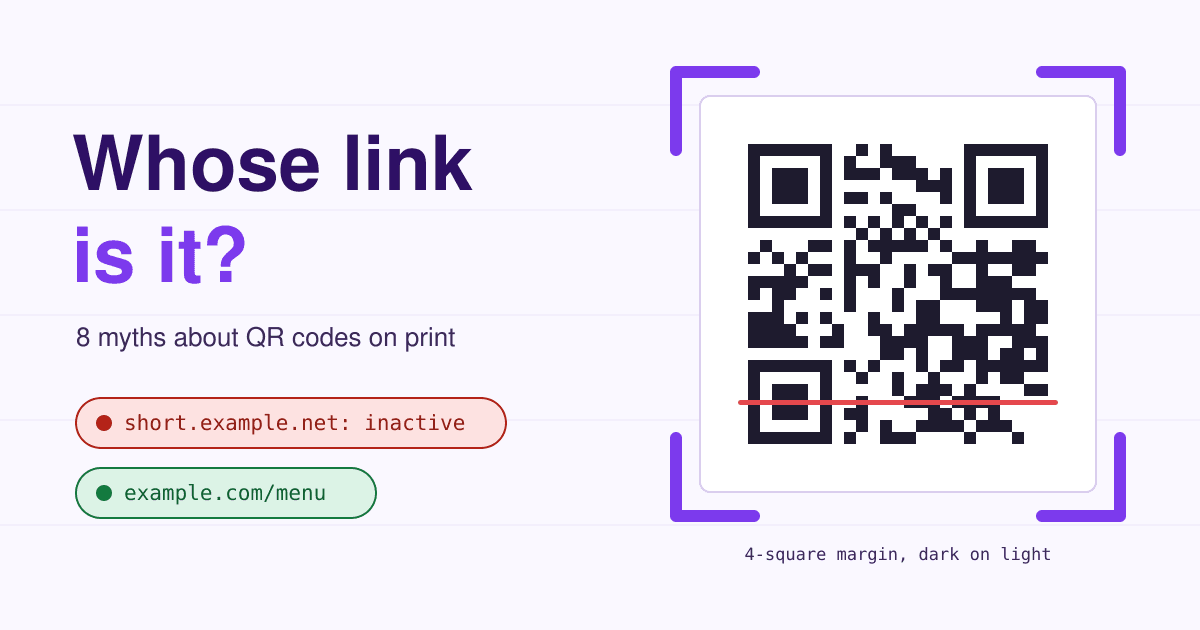
The square on a flyer holds no website at all, only a short line of text, and a phone simply opens whatever address that text spells out.
Short answer: make the code spell an address on your own domain, such as example.com/menu, and point that address at the right page with a redirect you can change. Print the code at least 2 cm wide, dark on light, with a clear margin four squares wide all round, keep any logo small, and scan a printed proof with two different phones before the full run. If a generator gives you a code that holds its own short link instead of yours, every copy you print keeps working only for as long as that service keeps it switched on.
Eight myths, and what the camera says
Each card starts with what a customer's phone shows when you follow the myth. The facts come from DENSO WAVE, the company that invented the QR Code and wrote the standard, unless a card says otherwise.
-
Link not yours
01 The code holds my website.
It holds text. A "static" code spells your full address. A "dynamic" code from most generator sites spells the generator's short link, and the generator's server sends each scan on to your page. You never see the difference on the flyer, but the address inside belongs to them.
Do this Before you download a code, scan it on screen. If the preview shows any domain other than yours, it is their link.
-
Code inactive
02 Only a dynamic code lets me change where it goes later.
A redirect on your own domain does the same job and never expires. The catch with generator links is that they stop when the plan stops: one generator explains that when a paid plan lapses or a free trial ends, the platform disables the redirect for its dynamic codes, so scans land on a page saying the code is inactive.
Do this Print a static code of example.com/menu, then change the page behind /menu in your site's redirect settings whenever you like. The plan is in the section below.
-
Move closer
03 If it fits on the business card, it is big enough.
The printer can go tiny: DENSO WAVE puts the smallest printable square on a common laser printer at about 0.17 mm, which makes a whole code about 3.6 mm wide. A phone held at arm's length cannot read that. The rule printers and code vendors work by is about 2 by 2 cm for arm's length, and roughly one tenth of the scanning distance for anything farther away: 30 cm wide for a poster read from 3 m.
Do this Business cards and table tents: 2 cm or more. Posters and windows: a tenth of the distance people will stand from it.
-
No code found
04 The white border around it is wasted space I can crop.
The border is part of the code. The standard requires a margin four squares wide on every side where nothing is printed, so the camera can tell where the code ends and the design begins. Crop it, or run a photo or a pattern up to the edge, and many phones report no code at all.
Do this Leave four squares of plain light background on all four sides, and tell your designer the margin counts as part of the code size.
-
Slow to read
05 Error correction makes a logo in the middle free.
Error correction is there to rebuild damaged parts: level L restores about 7% of the data, M 15%, Q 25% and H 30%, and M is the one most often used. A logo spends that budget before the first scratch, crease or reflection. DENSO WAVE warns that when a code is deformed by an illustration, even a tiny missing part can make it unreadable or slow to read.
Do this If you want a logo, ask the generator for level H, keep the logo small and away from the three corner squares, and test the print.
-
No code found
06 Any brand colors work if they look good.
The camera reads contrast, not color. Pale gray on white, yellow on cream or a code set in your mid-tone brand color can look fine to you and still give the camera too little difference between dark and light squares. Codes printed light on a dark background are the reverse of what most readers expect, and not every reader app copes with them.
Do this Dark squares on a light background, the darker the better. A deep brand color on white is fine; test it in dim light.
-
App not needed
07 People need to download a QR app first.
Not since 2017. Apple built QR Code reading into the iPhone Camera app in iOS 11, and Android phones read them through the camera or Google Lens. Telling people to "download a reader" sends them to app stores full of ad-heavy scanners for no reason. The people your code does fail are the ones without a working camera, or without data in your shop.
Do this Print the short address in plain text under the code, such as example.com/menu, so anyone can type it.
-
Wrong site
08 Once it is printed, nobody can change it.
Anyone can stick a new code on top. The US Federal Trade Commission warned in December 2023 that scammers cover the QR codes on parking meters with codes of their own that lead to fake payment pages. A table tent, a window poster or a menu on a café table is just as easy to cover.
Do this Keep the address short and on your own domain, so the preview a phone shows is recognisable, and check public copies for stickers now and then.
The longer the address, the smaller each square prints
A code grows in steps called versions: version 1 is 21 by 21 squares and each version adds 4 squares a side. More text needs a higher version, and at the same printed width that means smaller squares, which is what a camera struggles with. The table uses error correction level M, the four-square margin on both sides, and two printed widths.
| Address in the code | Characters | Version (squares a side) | Width with margin | One square at 2 cm | At 3 cm |
|---|---|---|---|---|---|
https://example.com/m | 21 | 2 (25) | 33 squares | 0.61 mm | 0.91 mm |
https://example.com/spring-menu | 31 | 3 (29) | 37 squares | 0.54 mm | 0.81 mm |
https://example.com/spring-menu?utm_source=flyer&utm_medium=print | 65 | 5 (37) | 45 squares | 0.44 mm | 0.67 mm |
The same, plus &utm_campaign=spring-2026 | 90 | 6 (41) | 49 squares | 0.41 mm | 0.61 mm |
Versions come from DENSO WAVE's capacity table for 8-bit text at level M (version 2 holds 26 characters, 3 holds 42, 5 holds 84, 6 holds 106). DENSO WAVE's own worked example sizes a code the same way: squares times square size, plus eight squares of margin. Its module size page adds that the bigger each square prints, the more stable the read. A short address on your own domain keeps the code at version 2 or 3, and moves the tracking tags to the redirect, where they cost no squares at all.
Point the code at an address you own
This is the whole fix for myths 01, 02 and 08. The code never changes; the page behind it can change as often as your menu does.
Generator short link
- Flyerthe code spells short.example.net/x7Kp2
- Their serverworks while your plan is paid
- Your pageor their "code inactive" page
Your own redirect
- Flyerthe code spells example.com/menu
- Your sitea redirect you edit in your settings
- Your pagewith tracking tags added by the redirect
Pick a short path
One word per printed piece: /menu, /flyer, /card. Short paths keep the code small (see the table).
Add the redirect
Shopify, Squarespace and Wix each have a URL redirect setting; WordPress needs a redirect plugin or a server rule. Where the setting offers a choice, pick a temporary (302) redirect, because a 302 tells browsers the target may change, while a 301 is permanent and browsers may remember it. Some site builders only make permanent ones; that still works, but a phone that has scanned the code before may keep opening the old page for a while after you change it.
Put the tracking on the target
Send /menu to your page with UTM tags such as utm_source=flyer and utm_medium=print, so scans show up in your analytics as their own source without making the code bigger.
Make a static code
Any generator that offers a plain, static code of your address will do. You owe it nothing after the download, and the code works as long as your domain does.
If your site runs on a server you manage, the redirect is one line. Apache, in .htaccess, and nginx:
# Apache
Redirect 302 /menu https://example.com/spring-menu?utm_source=flyer&utm_medium=print

# nginx, inside the server block
location = /menu {
    return 302 https://example.com/spring-menu?utm_source=flyer&utm_medium=print;
}
Six checks before you print five hundred
- Scan a paper proof, not the screen. Print one copy at the real size on the real paper or card, and scan that.
- Two phones, one of each kind. An iPhone and an Android, held at the distance a customer will hold them.
- Read the preview. The address the camera shows must be your domain and your short path, nothing else.
- Follow it to the end. The page must load on mobile data, look right on a phone and be the page this piece of print promises.
- Try bad light. Scan in a dim corner and at an angle, the way it will be scanned at a table or a bus stop.
- Find the plain address. It is printed under the code, readable at arm's length, and typing it gets to the same page.
Questions about QR codes on print
Do QR codes expire?
A static code does not: it is only text, and it works for as long as the address in it does. A dynamic code from a generator works for as long as the generator keeps its redirect on, which on most services depends on your plan.
Can I count scans without a dynamic code?
Yes. Send your short path to the page with UTM tags, and your analytics counts every visit from the code as its own source. You see visits rather than raw scans, which is the number that matters.
Do I have to pay to use the QR Code itself?
No. DENSO WAVE says no licence, application or fee is needed to use the code as long as it follows the JIS or ISO standard. "QR Code" is its registered trademark as a word; a code image on a card needs no trademark line.
Which error correction level should I pick?
M for clean print such as cards and flyers, which is the level DENSO WAVE says is used most. Q or H for codes that will get dirty or scuffed, or that carry a logo, knowing the code grows as the level rises.
Sources
- DENSO WAVE: QR Code FAQ, Point for determining the code area, Point for setting the module size, Information capacity and versions and Error correction feature, read 2026-11-08.
- QRStuff: Why your dynamic QR codes stop working, read 2026-11-08.
- Uniqode: QR Code size guide, for the 2 cm and 10 to 1 rules of thumb.
- US Federal Trade Commission: Scammers hide harmful links in QR codes to steal your information, December 2023.
- Apple Developer: QR Code recognition on iOS 11.
- MDN Web Docs: 302 Found and 301 Moved Permanently; Google Analytics Help: URL builders and UTM parameters.