Under US copyright law, the code and design files of a new website belong to the person who made them until that person signs them over in writing, and a paid invoice is not a signature.
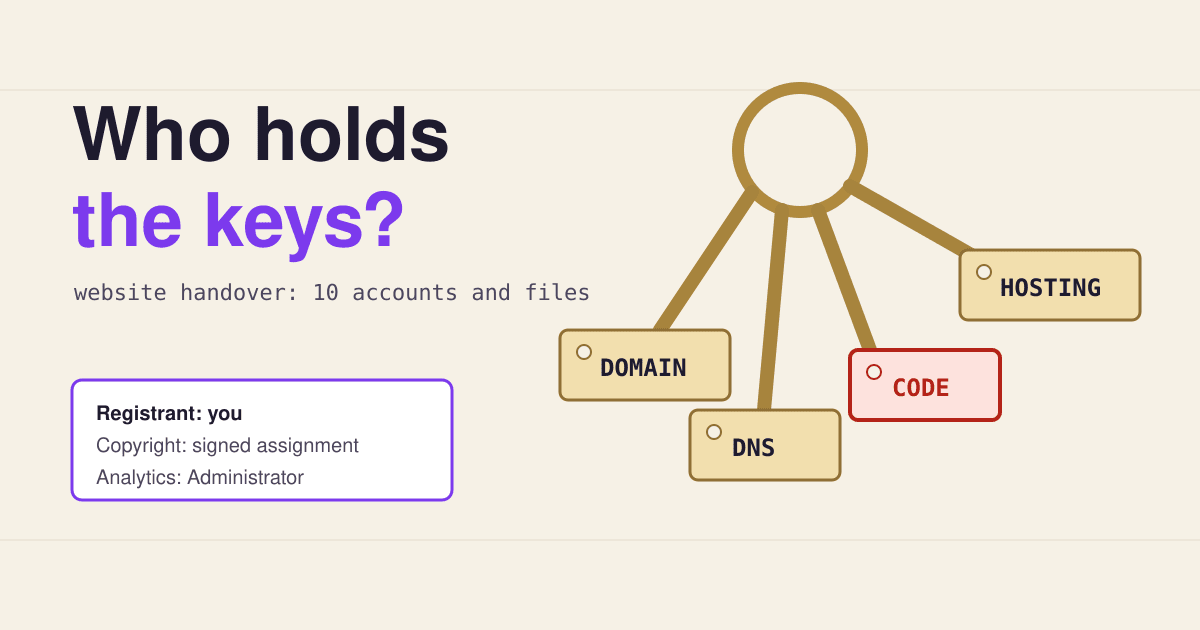
Short answer: before the last payment, make sure ten things are in your own name and that you have logged in to each one yourself: the domain, the DNS, the hosting, an admin account on the site, a written copyright assignment with a copy of the files, the font and photo licences, Google Analytics, Search Console and a backup you hold. The designer can keep access as a user. They should not be the only owner of anything.
Most handovers go fine. The trouble starts years later, when the designer has moved on, the card on their account expires, or you want a new agency to take over and nobody can log in. Each key below takes about two minutes to check, and every one of them is much harder to get back after the relationship ends than before the final invoice is paid.
The ten keys, and whose name each one must carry
Hang a tag on each key. "Your name" means you personally or your company, with an email address you control, not the designer's agency account with you added as a guest.
Why paying the invoice does not make the code yours
Copyright in a new work starts with its author. A freelancer or agency that builds your site is its author, not you, unless one of two things is true.
"Copyright in a work protected under this title vests initially in the author or authors of the work."
17 U.S.C. section 201(a)
The first exception is a "work made for hire". For someone who is not your employee, US law allows that only for nine kinds of commissioned work, such as a contribution to a collective work, a translation or a compilation, and only when both sides sign a written agreement saying so (US Copyright Office, Circular 30). Whether a website fits one of the nine is a question for a lawyer, so do not rely on it.
The second is a written transfer. A transfer of copyright "is not valid unless an instrument of conveyance, or a note or memorandum of the transfer, is in writing and signed by the owner of the rights conveyed" (17 U.S.C. section 204(a)). In practice that means one signed paragraph, assigning to you the copyright in everything made for the project, except the parts the designer licensed from others.
This is US law. Other countries have their own rules, and in many of them the default also leaves copyright with the person who made the work. A short assignment clause works in most places; ask a local lawyer if the site is central to your business.
The sign-out sheet: fill it in at handover
A key cabinet has a sheet where everyone who takes a key writes their name. Copy this one into a spreadsheet, fill it in with the designer on the handover call, and store it with your contract. The values in the first rows show the kind of entry each column needs.
| Key | Held in the name of | Logged in myself on | Others with access |
|---|---|---|---|
| 01 Domain | Example Bakery Ltd | 2026-11-03 | none |
| 02 DNS | Example Bakery Ltd | 2026-11-03 | designer, editor role |
| 03 Hosting | Example Bakery Ltd | 2026-11-03 | designer, technical contact |
| 04 Site admin | |||
| 05 Copyright and files | |||
| 06 Fonts | |||
| 07 Photos | |||
| 08 Analytics | |||
| 09 Search Console | |||
| 10 Backup |
Then do the one step most owners skip: log out, and log back in to each account from your own device with your own password and two-factor code. A login you have never used is a key you have never turned.
Already locked out? Who can let you back in
If the site is live and the designer has stopped answering, most keys can still be recovered, but each one through a different door. Start with the domain: everything else depends on it.
-
Domain name
Who can let you back in If you are the registrant on record, the registrar. ICANN's Transfer Policy says the Registered Name Holder alone approves a transfer, and a registrar may not refuse one over a payment default between itself and a business partner, such as a reseller, when the holder has paid for the registration.
What they ask for Proof that you are the registrant: usually access to the registrant email, or ID and company papers. If the designer is listed as registrant, you need their signature or a legal claim.
-
Search Console
Who can let you back in You can let yourself in: verify the property again with your own token, such as an HTML file, a meta tag or a DNS record.
What they ask for Nothing beyond the token. Once you are a verified owner you can remove delegated owners in the user screen, and unverify a previous verified owner by removing their token from the site.
-
Google Analytics
Who can let you back in Only someone with the Administrator role. Google's help pages describe adding users only through an existing Administrator, and the last Administrator cannot delete themselves.
What they ask for A request to the designer. This is why it belongs on the list before the final payment, not after.
-
Hosting and site admin
Who can let you back in The host, if the account or the card is yours. If the account is the designer's, only the designer.
What they ask for Account ownership proof for the host. With DNS in your hands you can also restore your own backup on a new host and point the domain there.
-
Code and copyright
Who can let you back in Only the designer, by signing an assignment.
What they ask for A signature. You can keep running the site you were given, but a rebuild that copies their work needs their permission.
Once the domain and DNS are yours, every other lockout becomes a cost rather than a catastrophe: you can rebuild somewhere else and point your own name at it.
Four lines to put in the contract
These are cheap to agree before the work starts and awkward to ask for after it ends. Adapt the wording with your lawyer; the point is what each line secures.
"All domains, hosting and third-party accounts for the project are registered in the Client's name and paid with the Client's payment method."
Secures keys 01 to 03, 08 and 09.
"On final payment the Designer assigns to the Client all copyright in the work created for the project, other than third-party material licensed under separate terms."
Secures key 05, the signed writing that copyright law asks for.
"The Designer delivers a list of every font, image, plugin and theme used, with its licence and who holds it."
Secures keys 06 and 07, and the paid plugins a new developer will need.
"Before final payment the Designer delivers a complete backup of the site files and database, and the Client confirms access to each account."
Secures keys 04 and 10, and turns the sign-out sheet into a condition of payment.
Questions owners ask at handover
Is it rude to ask for all of this?
No. Good designers expect it and many send a handover document without being asked. The designer keeps access as a user or a technical contact; what changes is that you can remove that access when the work ends.
What if the site is built on a hosted site builder?
Then keys 03 and 04 are one account: the subscription. Make sure it is in your name and billed to you, and ask whether the platform lets you move a site between accounts, because some do and some do not. Key 05 matters less, since the code mostly belongs to the platform, but your text, images and design files still need the assignment.
Changing the domain's registrant: does that lock the domain?
It can. ICANN's Transfer Policy, as published on the day this was checked, has the registrar lock a domain against moving to another registrar for 60 days after a change of registrant, and lets the registrar offer an opt-out before the change. A review of the policy has recommended dropping this lock, so ask your registrar which rule it applies. Do the change first, and plan any move of registrar after it.
Can the designer keep a credit link in the footer?
That is a matter for your agreement. Many clients accept a small credit; put it in the contract so either side can remove it later without a dispute.
Sources
- Legal Information Institute: 17 U.S.C. section 201, Ownership of copyright and 17 U.S.C. section 204, Execution of transfers of copyright ownership, read 2026-11-03.
- US Copyright Office: Circular 30, Works Made for Hire, read 2026-11-03.
- ICANN: Transfer Policy, sections I.A.1.1, I.A.3.7 to 3.10 and II.C.2, read 2026-11-03.
- Google Search Console Help: Managing owners, users, and permissions, read 2026-11-03.
- Google Analytics Help: Add, edit, and delete Analytics users and user groups, read 2026-11-03.
- Shutterstock Help Center: Are licenses transferrable?, an example of a stock licence that covers a client's design but not separate use.