Pilots read a printed checklist aloud even on their ten-thousandth flight, and a website relaunch deserves the same habit, because the steps that cost search traffic in a redesign are small, dull and easy to forget.
The list below is built that way: each line is a challenge and the answer you should be able to read back, grouped by when you do it. Work through it out loud with whoever builds the new site. A line you cannot answer is a line to fix before launch, not after.
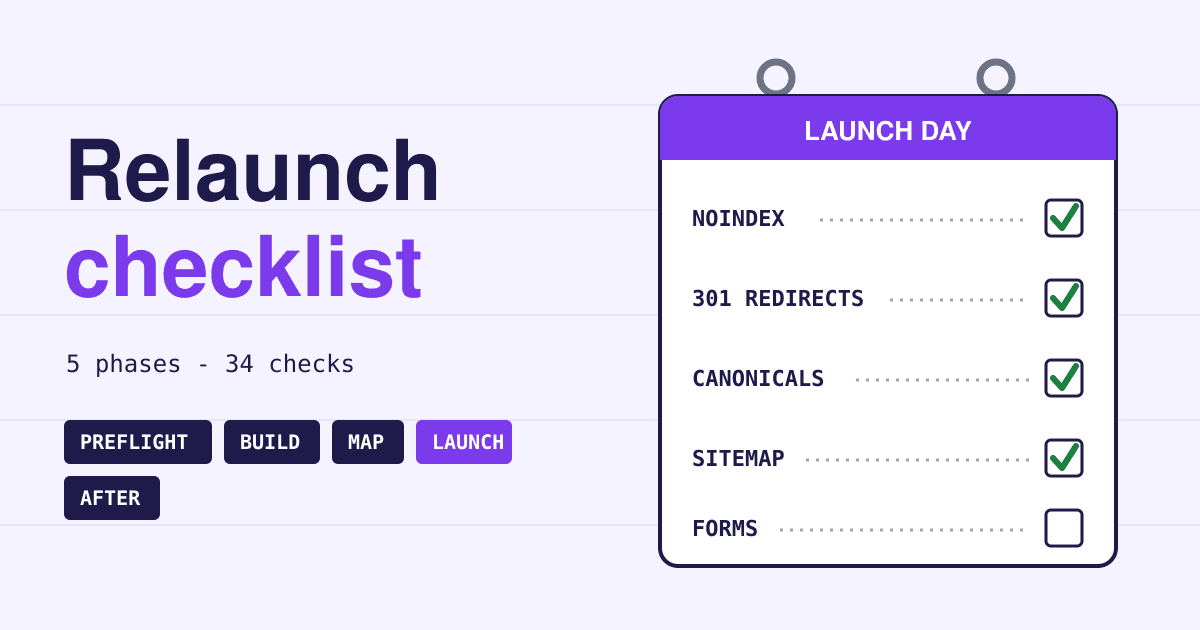
Short answer: before launch, record what each page earns from Google today and list every old address. Build the new site behind a password, keep the pages that rank (and their words), and map every old address to its closest new page with a permanent server-side redirect (301 or 308). On launch day remove every noindex and robots.txt block, test the redirects, submit the new sitemap and send a real form. Then watch Search Console daily for a week, expect a few weeks of wobble, and keep the redirects for at least a year.
Preflight: four to six weeks before launch
Nothing changes on the live site yet. You are writing down what you have, so you can tell later what you lost.
-
Traffic benchmark Saved
In Search Console, open Performance, pick the last 12 months and export the Pages tab: clicks and impressions for every address. Do the same for landing pages in your analytics. This file is the only way to prove, a month later, which pages fell.
-
Top pages Marked
From that export, mark the pages that bring most clicks, often a few dozen. They get extra care in every phase below: same address if possible, same words, a tested redirect if not.
-
Full address list Complete
List every URL the old site has: your sitemap, your CMS page list, analytics and server logs. Include images, PDFs and other files, which Google says need to be moved like every other page because they may get search traffic and links of their own.
-
Linked pages Listed
Search Console's Links report shows which of your pages other sites link to. Those addresses must keep working; a link to a dead page helps nobody.
-
One change at a time Confirmed
Google advises changing one thing at a time: if you plan a new domain, a new CMS and a new design, do them one after another. When traffic drops after a single change, you know what caused it.
-
Launch window Quiet week
Pick a recurring low-traffic period, as Google suggests: fewer visitors meet the early bugs, and your server has room for the extra crawling that follows a move.
Build: while the new site is on staging
The new site is real but hidden. Most launch-day accidents are planted here, as settings meant to be temporary.
-
Staging lock Password
Put the staging copy behind a password. Google names password protection as the way to keep content out of search; a robots.txt block alone does not stop a linked staging address from showing up.
-
Temporary blocks Written down
If staging uses a noindex tag or a robots.txt Disallow, write down every place it is set. Google asks you to prepare the list now, so you can remove all of them on launch day.
-
Addresses Kept where possible
Every address that stays the same needs no redirect and loses nothing. Change a URL only when the old one is wrong, not because the new theme uses another pattern.
-
Words on top pages Carried over
A redesign often swaps a long page for a slider and three short lines. Google can only rank what is written on the page, so keep the headings and text that your top pages ranked with, and rewrite them only on purpose.
-
Titles and descriptions Ported
Page titles, meta descriptions, image alt text and any structured data live in the old CMS. Check that the import brought them over, not only the body text.
-
Canonical tags Self, live domain
Each new page needs a self-referencing canonical with the final live address. A canonical left pointing at the staging host tells Google the real page is somewhere it cannot reach.
-
Search Console proof Copied
If you verified Search Console with an HTML file or a meta tag, copy it into the new site, or you lose access to your data on the day you need it most.
-
Analytics and conversions On every template
Check that the analytics tag and every conversion event (form sent, order placed, call clicked) fire on the new templates, not only on the home page.
-
Page speed Inside the limits
Test a few key templates for the Core Web Vitals limits web.dev publishes: Largest Contentful Paint within 2.5 seconds, Interaction to Next Paint of 200 milliseconds or less, Cumulative Layout Shift of 0.1 or less. A heavy new hero image is the usual culprit.
-
Server capacity Ready
After a move Google crawls more heavily than usual for a while. On a small plan, ask your host whether it can take the extra load.
Redirect map: one row for every old address
This is the single list that decides whether your old rankings follow you. Build it as a spreadsheet: old URL in one column, new URL in the next.
-
Every old URL Has a row
Go through the full address list from preflight. Every row gets a destination or a deliberate 404.
-
Closest match Not the home page
Send each old page to the new page about the same thing. Google warns that sending many old pages to one unrelated page, such as the home page, may be treated as a soft 404. Merging several old pages into one new page that covers them is fine.
-
Redirect type 301 or 308, server side
Use permanent server-side redirects. Google reads them as a signal that the new page should be the one shown; temporary ones (302, 307) are not used that way. JavaScript redirects are the last resort.
-
Chains None
Point each old URL at its final page. Googlebot follows up to 10 hops, but Google advises redirecting straight to the destination, and if a chain is unavoidable, keeping it to about three. Old redirects from a previous redesign count too: update them to the new final pages.
-
Dropped pages 404 or 410
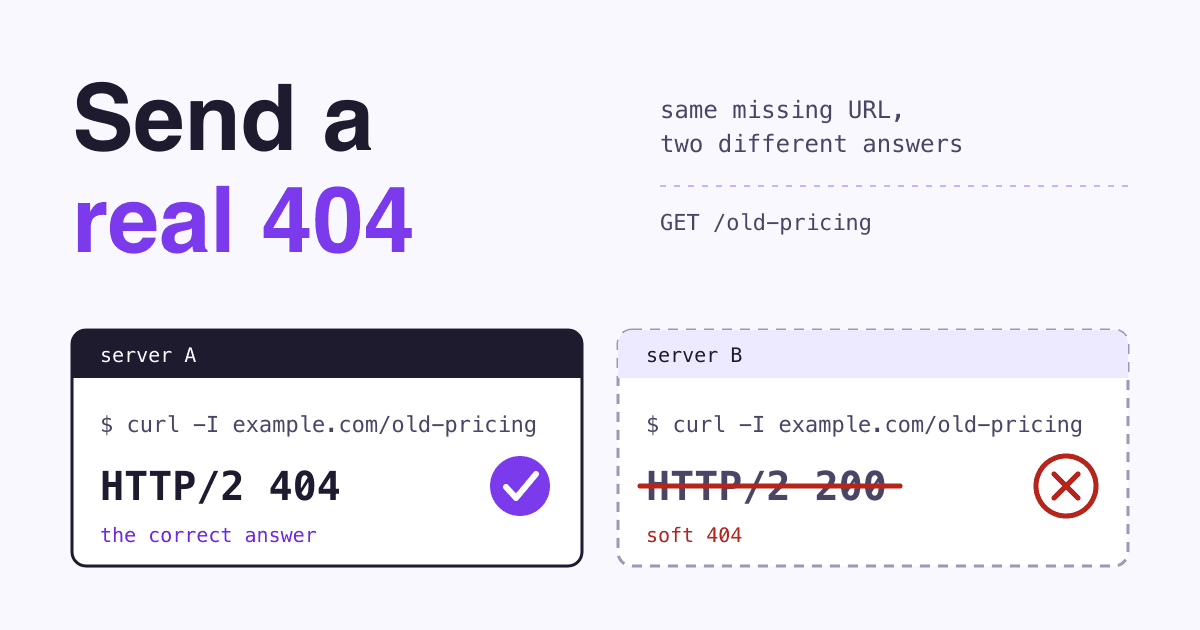
A page you remove on purpose, with nothing similar on the new site, should return 404 or 410. That is honest, and Google handles it.
-
Internal links Rewritten
Update the links inside your own pages and menus to the new addresses, as Google recommends, so visitors and crawlers do not pass through a redirect on every click.
Redirect 301 /services/web-design.html /web-design/
Redirect 301 /about-us.php /about/
Redirect 301 /blog/2019/05/spring-menu /blog/spring-menu/
Redirect 410 /old-promo-2021/
while read url; do
curl -s -o /dev/null -w "%{http_code} %{num_redirects} %{url_effective}\n" -L "$url"
done < old-urls.txtEvery line should read 200, a redirect count of 1 and the new address you mapped; 410 for pages you dropped. A count above 1 is a chain to fix. On nginx or a hosted builder the syntax differs; the map does not.
Launch day: in this order
Keep the person who built the site on call for the whole day. Every line here takes minutes, and every one of them has sunk a relaunch.
-
Noindex and robots.txt Removed
Take out every block from your build list and open robots.txt on the live domain yourself. Google lists this among the first checks once redirects are active.
-
Redirects Live and tested
Run the URL list through the loop above and check your top pages in the URL Inspection tool. Fix any 404 on a top page before you do anything else.
-
Canonicals New URLs
View the source of a few pages and confirm the canonical shows the live address, not staging and not the old URL.
-
Sitemap Submitted
Submit a sitemap of the new URLs in Search Console. Google also suggests submitting the saved sitemap of old URLs for a while, so you can watch those pages leave the index as the new ones arrive; its redirect warnings are expected.
-
Domain change only Change of Address
If the domain itself changes, file a Change of Address in Search Console for the old site. It is not needed for a new design on the same domain, a switch to HTTPS or a www change.
-
Host change only DNS TTL lowered
If you also move hosts, lower the TTL on your DNS records a day or two ahead, so the switch reaches visitors faster.
-
Forms and checkout Real test sent
Send every form and place a real order or booking. Then check that the message arrived in the inbox and that the conversion appears in analytics in real time.
After launch: the first four weeks
Rankings move during any move. The job now is telling ordinary wobble from a fault you can fix.
-
Week one Daily look
Open Search Console every day: Page indexing for new 404s and blocked pages, and Performance for a sudden fall to near zero, which is never ordinary wobble.
-
Benchmark compare Weekly
Each week, put clicks for your top pages next to the preflight export. A page that fell alone usually has a redirect or content problem; the whole site falling evenly usually has a block.
-
Patience A few weeks
Google says a small to medium site can take a few weeks for most pages to move, and that visibility may fluctuate meanwhile. Do not undo the redesign in week two over a dip.
-
Outside links Updated
Change the address on your social profiles, business listings and ad campaigns, and ask the sites behind your most valuable links to update theirs, as Google recommends.
-
Redirects Kept 1 year or more
Keep the redirects for as long as possible, generally at least one year, and for visitors consider keeping them for good. Write it into the hosting notes so nobody deletes them at the next cleanup.
Warning lights after a relaunch
What you see in the first days, what usually causes it, and the first place to look.
-
Clicks fall to almost nothing within days
Usual cause: a leftover noindex tag or robots.txt Disallow from staging.
Check: URL Inspection on the home page and one top page; robots.txt on the live domain.
-
Old pages show as Not found (404)
Usual cause: rows missing from the redirect map, or the redirect file not deployed.
Check: Page indexing report, then run the old URL list through the curl loop.
-
Pages listed as duplicates, Google chose another canonical
Usual cause: canonical tags still pointing at staging or the old URLs.
Check: View source on an affected page; search for rel="canonical".
-
Search Console says you are no longer verified
Usual cause: the HTML verification file or meta tag was not carried over.
Check: Put the file or tag back; your old data returns once verification works.
-
Traffic steady, enquiries at zero
Usual cause: a form posting to the old handler, or conversion events missing on new templates.
Check: Send a test form and watch analytics in real time.
-
One top page lost its rankings, the rest held
Usual cause: its text was cut or rewritten, or it redirects to a page about something else.
Check: Compare the old page (your backup or a web archive) with the new one, line by line.
Questions about redesigns and search traffic
Will a redesign lower my Google rankings?
Not by itself. Rankings move while Google recrawls the site, and settle when the same pages, words and links are still there. Lasting losses come from removed content, missing redirects and leftover blocks, which this list is meant to catch.
Do 301 redirects lose link value?
Google says no: 301 and other permanent redirects do not cause a loss in PageRank. The loss comes from redirecting to a page about something else, or from not redirecting at all.
Do I need redirects if my URLs stay the same?
No. If every address stays as it is, there is nothing to map; the build and launch-day checks still apply, because a leftover noindex or a missing verification file does not care whether URLs changed.
Should I launch everything at once or in sections?
Google recommends moving small and medium sites all at once, and large sites section by section, so problems are easier to spot.
Sources
- Google Search Central: Site moves with URL changes, Site moves without URL changes, Redirects and Google Search, Control what you share with Google and Soft 404 errors, read 2026-11-12.
- Search Console Help: URL Inspection tool, Links report, Verify your site ownership and Change of Address tool, read 2026-11-12.
- web.dev: Web Vitals, thresholds for LCP, INP and CLS, read 2026-11-12.