If your website is changing its name, the old domain has to keep working, paid for and redirecting, for at least a year after the new one goes live, and most of what decides whether search traffic follows you happens in the 30 days before the switch and the 180 days after it.
- From
example.com, every variant: www and bare, http and https.- To
example.net, same pages, same paths, same design.- How
- A 301 from every old URL to its own new URL, then a Change of Address request in Search Console.
- How long
- Google's own estimate is a few weeks for a small or medium site. Its Change of Address request runs for 180 days.
- Keep
- The redirects for at least a year, and the old domain paid for at least a year too.
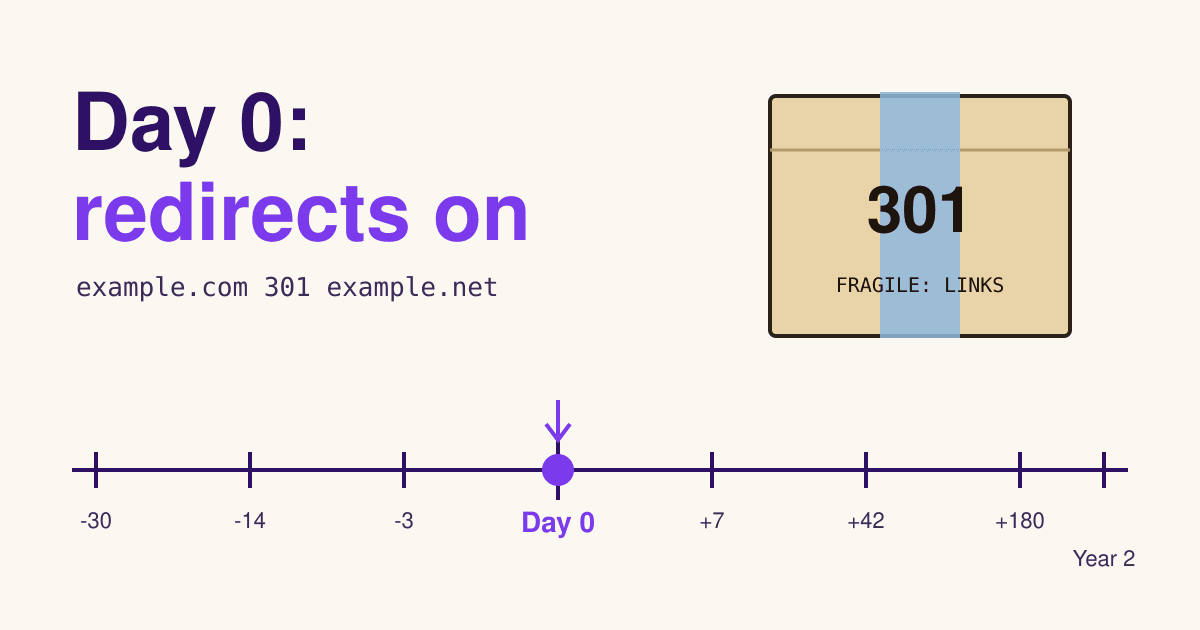
- Day -30 Decide and verify
- Day -14 List every URL
- Day -3 Certificates and mail
- Day 0 Redirects on
- Days 1 to 7 Forward the links
- Weeks 2 to 6 Watch the swap
- Day 180 Request expires
- Year 1 and 2 Keep paying
Day -30: decide what moves, and prove you own both ends
Move the address and nothing else. Google's site move guide says to change one thing at a time: move to the new domain first, then change the layout. Its Change of Address page is blunter: combine a move with a redesign of content and URL structure and you will probably see some traffic loss, because Google has to relearn the pages. If the new name comes with a new site, ship the domain move first and the redesign a month or two later.
Pick the day now. A move on a quiet weekday or in your slow season means fewer people meet anything that breaks, and Google suggests timing it to a traffic dip.
Then open Search Console and verify ownership of both domains. The Change of Address tool only works if the same Google account owns the old and the new property, and it moves one host at a time, so verify www.example.com as well as example.com, even if one of them only redirects.
If you bought the new domain second hand, read its record before you build on it. Check Search Console on the new property for a manual action left by a previous owner, and for a removal request still in force, especially one that hides the whole site.
Day -14: write the manifest, one line per old URL
A moving company wants an inventory before it lifts a box, and so does a site move. If every page keeps its path, one wildcard rule does the work. If any path changes, you need a list of old URLs and where each one goes. Google's guide names the places to find them: your sitemap, your analytics or server logs, and the links report in Search Console. Add the files people link to directly: images, PDFs, price lists.
| Old URL | New URL | Answer |
|---|---|---|
example.com/ | example.net/ | 301 |
example.com/cakes/birthday | example.net/cakes/birthday | 301, same path |
example.com/index.php?page=contact | example.net/contact | 301, mapped by hand |
example.com/files/price-list.pdf | example.net/files/price-list.pdf | 301, files move too |
example.com/summer-sale-2024 | example.net/summer-sale-2024 | 301, then 410 on the new site |
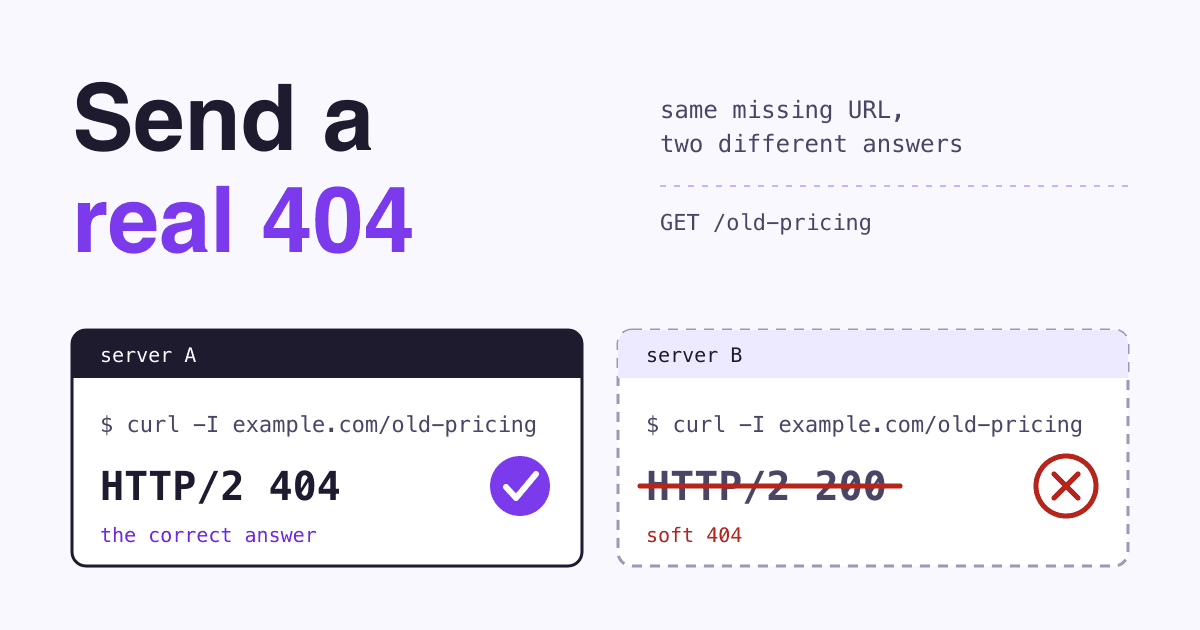
The last row is a page you are not bringing. Google asks that it return 404 or 410 on the new site, not redirect to the home page: many old URLs pointed at one unrelated page can be treated as a soft 404.
Build the copy on the new domain from the manifest. Every new page needs a rel="canonical" pointing to itself, internal links rewritten to the new addresses, and a sitemap of the new URLs saved for Day 0. If you hide the copy with noindex or a robots.txt block while you build, write down where, because each one has to come off on Day 0. Copy the Search Console verification file or meta tag to the new site too, or verification can break the day you move.
Day -3: certificates for both names, and the mail
A redirect from https://example.com only runs after the browser has accepted a certificate for example.com. If the old domain's certificate lapses, visitors and crawlers get a security warning before they ever see the 301. So the old domain keeps a valid certificate for as long as it redirects, which is a year or more. Check that both names, with and without www, are on a certificate that renews by itself.
Email is the other thing the old domain carries. Search engines do not care about it, but your customers do: invoices, password resets and replies to old messages still go to @example.com. Set up mail on the new domain, keep the old domain's MX records pointing where they point today, and forward the old addresses for as long as you pay for the domain.
Last, look at the new server. Google writes that after a migration it crawls the new site more heavily than usual, because every old URL it crawls now leads to the new site as well. A small shared hosting plan can feel it.
Day 0: turn the redirects on, then tell Google
Use a server-side permanent redirect. A 301 or a 308 tells Google the target should be the canonical URL; a 302 or 307 does not. Google also says plainly that 301s do not lose PageRank. Send each old URL straight to its final address: Googlebot follows up to 10 hops but Google advises a chain of no more than 3, and the best chain has 1 hop. If the old site still answers on http, send http://example.com/page straight to https://example.net/page, not through https://example.com/page first.
If every path stays the same, this is the whole move on nginx. It keeps the path and the query string:
# old domain, both names, http and https
server {
    listen 80;
    listen 443 ssl;
    server_name example.com www.example.com;
    ssl_certificate     /etc/ssl/example.com/fullchain.pem;
    ssl_certificate_key /etc/ssl/example.com/privkey.pem;
    return 301 https://example.net$request_uri;
}
On Apache shared hosting, the same rule goes in the old site's .htaccess:
RewriteEngine On
RewriteCond %{HTTP_HOST} ^(www[.])?example[.]com$ [NC]
RewriteRule ^(.*)$ https://example.net/$1 [R=301,L]
Test five rows of the manifest from a terminal before you go further. Each should show one 301 and the right new address:
curl -sI http://www.example.com/cakes/birthday | grep -iE '^(HTTP|location)'
HTTP/1.1 301 Moved Permanently
Location: https://example.net/cakes/birthday
Then, in this order: take off every noindex and robots.txt block from Day -14; submit the new sitemap in Search Console on the new property; and file the Change of Address request from the old property. File it once for each old host you verified, www and bare, because the tool does not move subdomains, www included. It checks that you own both sites and that a few pages answer with a 301; a failed critical check stops the request until you fix it.
Days 1 to 7: forward the links you control
Every redirect is a small delay for a visitor, so Google asks you to update as many links as possible right after the move. Work down this list, the links you can change yourself first:
- Your own pages. Internal links, the logo link, footer links and links inside old blog posts still pointing at
example.com. - Profiles. The website field on every social profile and business listing, including your map listing.
- Ads. Every ad and campaign landing page, so you stop paying for a redirect hop.
- Things you send. Email signatures, invoice templates, newsletter footers and anything printed you will reorder.
- Tools that store your address. Payment and booking tools with return URLs or webhooks, and the analytics property.
- Other people's sites. From the links report you saved, write to the sites that send you the most visits and ask them to change the link.
Keep an eye on the server log this week. Look for old URLs that end in a 404 on the new site: those are lines missing from the manifest.
Weeks 2 to 6: watch the old count fall and the new one rise
Google's estimate is that a small or medium site takes a few weeks for most pages to move, and that rankings can wobble while it recrawls. The move is per URL: Google has to visit every old and new URL at least once, so pages people rarely link to move last.
Two readings in Search Console tell you how it is going. In the Sitemaps report, submit the old sitemap beside the new one: the old one's indexed count should drop toward zero while the new one's climbs, and warnings that the old URLs redirect are normal. In the Performance report, clicks and impressions should shift from the old property to the new one. If the new count stalls, the usual causes are in the faults box below.
Day 180: the Change of Address request runs out
For 180 days after you file it, the request tells Google to prefer the new site over the old when it picks canonical pages, to crawl the new site first and to forward signals from the old one. Search Console shows a notice that the move is in progress for the same 180 days, and you can cancel the move at any point inside them.
After day 180, Google no longer treats the two sites as related. Anything still crawlable on the old domain is just another site. That is why the redirects matter more than the request: they keep pointing to the new site after the request expires.
Year 1 and year 2: the redirects stay, and so does the old domain
Google gives two numbers. The Change of Address page says to keep the redirects for at least 180 days, longer if Google Search still sends traffic to them. The site move guide says generally at least 1 year, and from your visitors' side, consider keeping them for good. Old links in emails, forums and printed menus do not expire, so the second answer is the one to plan for.
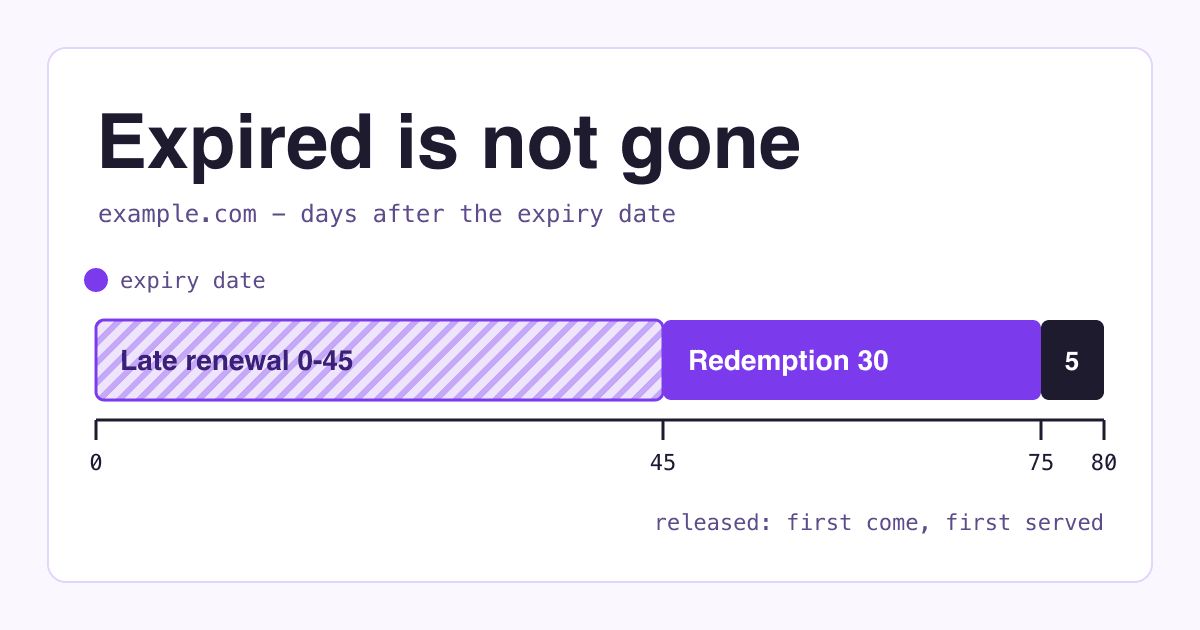
Keep paying for the old domain. Google recommends at least a year, so that nobody can buy your abandoned domain and use it for malicious purposes. A dropped domain with years of links to it is exactly what someone else would buy, and its visitors would land on their page with your name on the links. Put the renewal on auto-pay and the certificate on auto-renew, and look at the old domain's traffic in year 2 before you decide anything.
Five things that break after moving day
-
The new site never shows up in Google
A
noindextag or a robots.txt block from the build is still there. Google lists this first among common migration mistakes. Open the new robots.txt and view the source of a few pages. -
Lots of "Not found" in the new property
Redirects point at URLs that do not exist on the new site, usually because a path changed and the manifest missed it. Fix the rule, not the page: the old address is the one people still link to.
-
Every old page lands on the new home page
A catch-all rule sends everything to
/. Visitors lose the page they wanted, and Google can treat the redirects as soft 404 errors. Redirect page to page. -
A browser warning on the old address
The old domain's certificate has expired, so https links fail before the 301 can run. Renew it, and set it to renew by itself for as long as the domain redirects.
-
Only the bare domain moved in Search Console
The Change of Address request was filed for
example.combut not forwww.example.com. The tool moves one host at a time, so verify and file each variant.
Questions about moving to a new domain
Will I lose my Google rankings?
Expect some movement for a few weeks while Google recrawls. Permanent redirects pass PageRank, and keeping the same pages, paths and design is what helps most: Google says the same site architecture passes signals more directly to the new site.
Can I undo the move?
Within 180 days, yes. Remove the redirects from old to new, add redirects from new to old, then press Cancel Move in the old property's Change of Address tool.
Do I need the Change of Address tool to switch to https or drop the www?
No. For http to https, for www to bare on the same domain and for path changes on the same domain, redirects alone are enough. The tool is for moving to another domain or subdomain.
Can I merge two old sites into the new domain on the same day?
Google advises against it: moving several sites to one place at once can cause confusion and traffic loss. Move one, wait until traffic settles, then move the next. And do not chain moves: after A to B, you cannot file B to C straight away.
Sources
- Google Search Central: How to move a site with URL changes, Redirects and Google Search and HTTP status codes and Google crawlers, read 2026-11-12.
- Search Console Help: Change of Address tool, Verify your site ownership, Manual actions report and Removals tool, read 2026-11-12.
- The certificate and email steps on Day -3 are how https and mail work rather than a Google rule; the server snippets are examples to adapt to your host.